Introduction
In today’s fast-paced world, misplacing everyday items like keys, wallets, or bags is a common problem. Apple’s AirTag offers a smart solution: a small, lightweight tracking device that helps you locate your lost belongings quickly. But how exactly does it work, and why is it considered so reliable? Unlike traditional GPS trackers, AirTags use a combination of Bluetooth, ultra-wideband technology, and Apple’s Find My network to pinpoint items even when they’re far away. This article dives into the science and technology behind AirTags, explaining how they connect to your devices, how they leverage Apple’s massive ecosystem, and what security and privacy measures are built in to protect users. We’ll also explore practical use cases, limitations, and ethical considerations. By the end, you’ll understand why AirTags have become an essential tool for anyone looking to simplify the stress of losing everyday items.
Also Read : Women’s Sling Bags: Stylish, Practical & Essential
What is an AirTag?
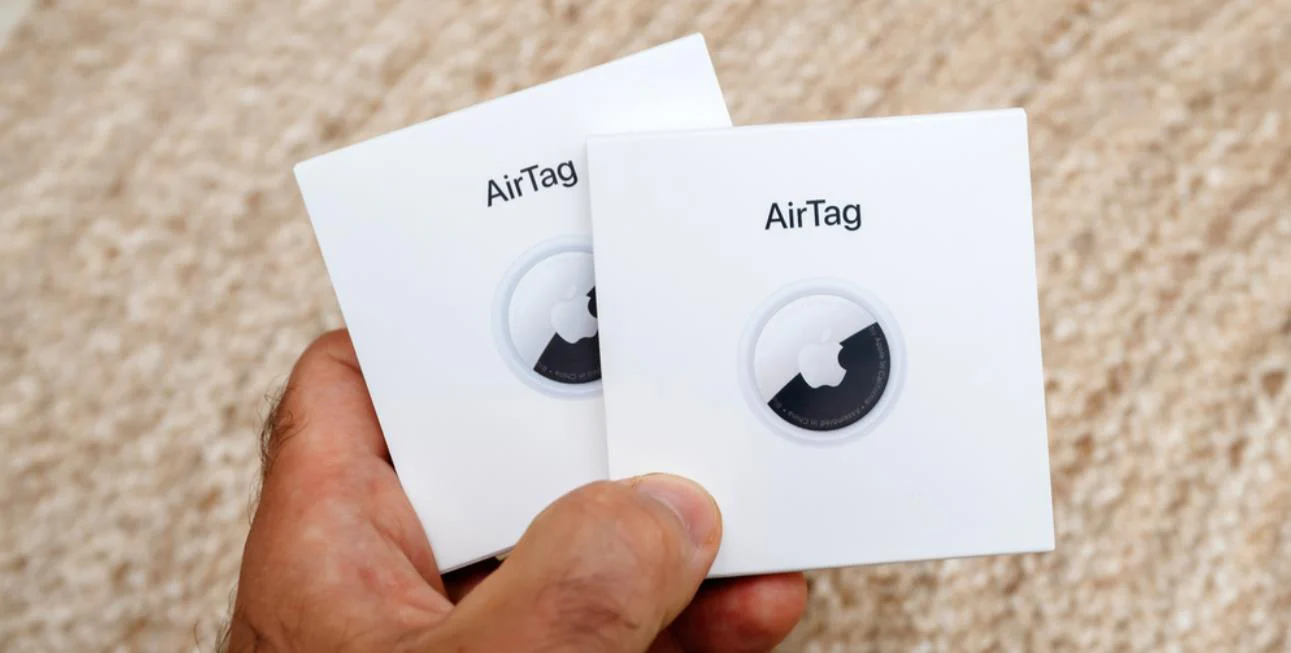
AirTag is a compact tracking device developed by Apple to help locate personal items. It is small, lightweight, and powered by a coin-cell battery that typically lasts about a year. You can attach it to keys, wallets, backpacks, luggage, or almost anything you might misplace. AirTags are designed to be user-friendly, with simple setup and seamless integration with Apple devices, making them ideal for people who often misplace their belongings.
Also Read : Star Alliance Members: Complete Guide 2025
The Technology Behind AirTags
AirTags combine several technologies to help track items effectively, even over long distances. These include Bluetooth Low Energy (BLE), Ultra-Wideband (UWB), and Apple’s Find My network.
1. Bluetooth Low Energy (BLE)
Bluetooth is the core technology AirTags use to communicate with nearby Apple devices. Each AirTag broadcasts a unique encrypted identifier using BLE. When your iPhone or iPad is nearby, it detects this signal and shows the item’s location in the Find My app. The Bluetooth signal typically works over a distance of 30 to 100 feet, depending on the environment.
2. Ultra-Wideband (UWB) and Precision Finding
For iPhone 11 and newer models equipped with Apple’s U1 chip, AirTags support Precision Finding. This technology combines UWB, augmented reality, haptic feedback, and sound cues to guide you directly to your lost item. Rather than simply showing that an item is nearby, it provides exact direction and distance — making it easier to locate items hidden under cushions, inside bags, or in hard-to-see areas.
3. Find My Network
One of AirTag’s most powerful features is the Find My network. Even if your lost item is far from your own devices, other Apple devices in the area can detect its Bluetooth signal and send the location to Apple’s servers. This allows you to see the updated location in the Find My app, even if your item is miles away. The network works anonymously, ensuring privacy while providing a crowdsourced solution to tracking.
4. Privacy and Security
AirTags are designed with privacy in mind. All location data and communication with the Find My network are encrypted end-to-end, so only the owner of the AirTag can see its location. To prevent misuse, AirTags trigger alerts on iPhones if they are separated from their owner and traveling with someone else, helping prevent unwanted tracking.
Setting Up and Using AirTags
Using an AirTag is straightforward, designed for a seamless Apple ecosystem experience.
-
Setup: Bring the AirTag close to your iPhone, and it automatically pairs. You can assign a name like “Keys” or “Backpack.”
-
Finding Nearby Items: Open the Find My app to locate items within Bluetooth range. You can play a sound on the AirTag to locate it by ear.
-
Precision Finding: For U1-equipped iPhones, use Precision Finding to see the exact distance and direction to your item.
-
Finding Items Far Away: If the item is far from your devices, the Find My network detects it via other Apple devices and updates the location on your map.
-
Lost Mode: You can mark an AirTag as lost and leave a message with contact information. If someone finds it, they can view this message by tapping the AirTag with their phone.
Limitations of AirTags
While AirTags are powerful, they have limitations:
-
No GPS or cellular data: AirTags rely on Bluetooth and nearby Apple devices, not GPS.
-
Remote areas: If your item is lost in an area without Apple devices, it may not update its location.
-
Android users: AirTag functionality is limited on Android devices. Full tracking and Precision Finding require Apple devices.
-
Privacy concerns: Despite built-in safeguards, AirTags can potentially be misused for tracking people without consent, though Apple has implemented alerts and automatic sounds to prevent this.
Real-World Use Cases
Ideal Situations
-
Everyday items: Keys, wallets, purses, backpacks — items commonly misplaced at home.
-
Travel: AirTags attached to luggage make it easier to track lost baggage at airports.
-
Shared spaces: Homes or offices with multiple Apple devices improve the chances of locating items quickly.
-
Indoor finding: Precision Finding and sound alerts make indoor locating precise and easy.
Situations to Avoid
-
Remote areas: Areas with few Apple devices may limit tracking.
-
Real-time tracking: AirTags do not continuously transmit locations like GPS trackers.
-
Non-Apple users: Functionality is reduced for Android-only users.
Safety, Privacy, and Ethical Considerations
AirTags rely on a network of devices owned by strangers, which raises privacy and ethical concerns. Apple addresses these by encrypting all location data and implementing anti-stalking features. If an AirTag is traveling with someone else without the owner, that person’s iPhone receives an alert. Lost Mode allows contact without exposing private data. Users should always use AirTags responsibly and be mindful of privacy and safety considerations.
Read More: Women’s Sling Bags: Stylish, Practical & Essential
Conclusion
AirTags are a small but powerful tool designed to make losing everyday items less stressful. By combining Bluetooth, ultra-wideband technology, and the Find My network, Apple has created a solution that is simple, secure, and highly effective — especially in populated areas with many Apple devices. They work best for everyday items, luggage, and indoor tracking, but they are less effective in remote areas or for non-Apple users. With built-in privacy and anti-stalking features, AirTags offer a safe and reliable way to keep track of belongings. Whether you’re prone to misplacing your keys at home or worried about lost luggage during travel, an AirTag can save time, reduce stress, and provide peace of mind. For Apple users, it’s a practical, user-friendly addition to your everyday tech arsenal.
FAQs
1. How does AirTag track items without GPS?
AirTags use Bluetooth to communicate with nearby Apple devices. When far away, the Find My network of Apple devices detects the AirTag and sends its location to the owner’s device.
2. What is Precision Finding?
Precision Finding uses ultra-wideband technology, augmented reality, and haptic feedback to guide you directly to your AirTag, showing exact distance and direction.
3. Can someone else see my AirTag’s location?
No. AirTag location data is encrypted and only visible to the owner via their Apple ID.
4. What happens if someone finds my lost AirTag?
If your AirTag is in Lost Mode, it displays a message with your contact info when tapped, without revealing private data.
5. When might AirTags not work well?
AirTags are less effective in remote areas without nearby Apple devices and provide limited functionality for Android users. They are also not designed for real-time GPS tracking.